
24.03.2024
QubMenu v0.1:
Highlights:
Basic Dashboard: Tools for user account management and digital menu creation.
Menu Editing: Easily modify and update menus.
User-Friendly Interface: Simplifies managing and customizing digital dining experiences.
Establishing the Basic Dashboard
Released in March and April 2023, QubMenu v0.1 brought significant advancements by creating the Basic Dashboard, a key feature designed to make digital menu management straightforward and efficient. This release focused on enhancing the platform’s usability, allowing restaurants to onboard smoothly, manage accounts, and begin crafting their own digital menus from scratch.
Subversion 0.1.1 – User Onboarding and Account Management
Release Date: March 24th, 2024
The first subversion, v0.1.1, focused on implementing an easy-to-use user onboarding process. Restaurants could quickly sign up for the platform, set up their profiles, and establish account management capabilities. Key functionalities included:
User Registration & Login: Simple sign-up options, with secure access through unique credentials.
Profile Management: Restaurants were given the ability to manage and edit their profile settings, brand information, and contact details.
Account Security: Secure authentication processes were introduced to protect sensitive data.
The onboarding process was streamlined to ensure a quick start, allowing restaurant owners to navigate the platform with ease and immediately start utilizing the dashboard.
Subversion 0.1.2 – Prototype for Digital Menu Creation
Release Date: April 7th, 2024
v0.1.2 was a pivotal release that provided a prototype for digital menu creation, a core feature of QubMenu. This laid the initial groundwork for transforming traditional menus into interactive digital formats. The subversion focused on:
Menu Creation Templates: Users could select from basic templates, allowing for quick setup and customization of digital menus.
Dish Addition & Categorization: Restaurants could begin adding menu items, detailing ingredients, pricing, and categorizing dishes for easy customer navigation.
Preview & Publishing: A live preview feature was introduced, enabling restaurants to see how their menu would appear digitally before publishing it for customer viewing.
This release provided restaurants with a foundation for menu customization, enhancing their ability to present dishes attractively and start building a digital presence.
Subversion 0.1.3 – Menu Editing Features Added
Release Date: April 21st, 2024
v0.1.3 built on the earlier menu creation tools by introducing advanced editing capabilities. This enhancement allowed restaurants to modify their digital menus more flexibly, ensuring they could keep content fresh and up-to-date. Key features included:
Menu Item Editing & Deletion: Restaurant owners could easily update item descriptions, prices, and availability. Items could also be deleted or reordered.
Enhanced Visual Customization: Options to personalize menu appearance, including adding images, adjusting layout, and highlighting special items.
Real-Time Updates: Menus could be modified on-the-fly, with changes instantly reflected for customers viewing the digital menu.
This update made it easier for restaurants to adapt their menus to daily specials, seasonal changes, or promotions, ensuring that their digital presence remained relevant and engaging.
Version Information
Version: 0.0.1
Release Date: March 10, 2024
Other Updates
QubMenu v2.0
Expected in 2025
The Future of QubMenu – Looking Toward v2.0 in 2025
The road ahead for QubMenu is one of continued innovation and enhancements, with v2.0 expected to roll out in the second half of 2025. This major release will focus on taking the dining experience to the next level by seamlessly integrating restaurant operations, customer interactions, and real-time services.
QubMenu v1.0.0
15.12.2024
Official Release – The Digital Menu Done Right
After months of development, innovation, and continuous improvement, the QubMenu team is proud to announce the official release of QubMenu v1.0.0. With a comprehensive set of features designed to transform restaurant operations and elevate the customer dining experience, this version culminates the journey toward creating the ultimate digital menu solution. QubMenu v1.0.0 marks a milestone for both the platform and its users, delivering the first “Digital Menu Done Right.”
QubMenu v0.7
01.02.2025
Advanced Image Gallery & AI-Driven Visual Enhancements
QubMenu v0.7 Highlights:
Comprehensive Image Gallery: Enhance menu visual appeal with rich images.
AI-Driven Image Generation: Create engaging, appetizing displays of menu items.
Improved Customer Experience: Elevates browsing with enticing visuals.
QubMenu v0.6
20.10.2024
Advanced Menu Scheduling – Automated Management & Real-Time Updates
Highlights:
Advanced Scheduling: Plan menus by time of day, week, or events.
Automated Menu Activations: Seamless switching between menus.
Streamlined Management: Simplifies control over offerings.
QubMenu v0.5
08.09.2024
Live Translation – Dynamic Multi-Language Menus
QubMenu v0.5 Highlights:
Live Translation: Real-time multilingual support for digital menus.
Enhanced Accessibility: Improved experience for international diners.
Accurate Language Support: Expands multi-language capabilities for wider reach.
QubMenu v0.4
28.07.2024
Real-Time Menu Updates – Live Changes & Scheduling
Highlights:
Real-Time Updates: Instantly visible menu changes for customers.
Live Menu Editing: Flexibly modify offerings at any time.
Scheduling Options: Set menus based on specific times and days.
Enhanced Flexibility: Keep menus fresh and relevant.
QubMenu v0.3
16.06.2024
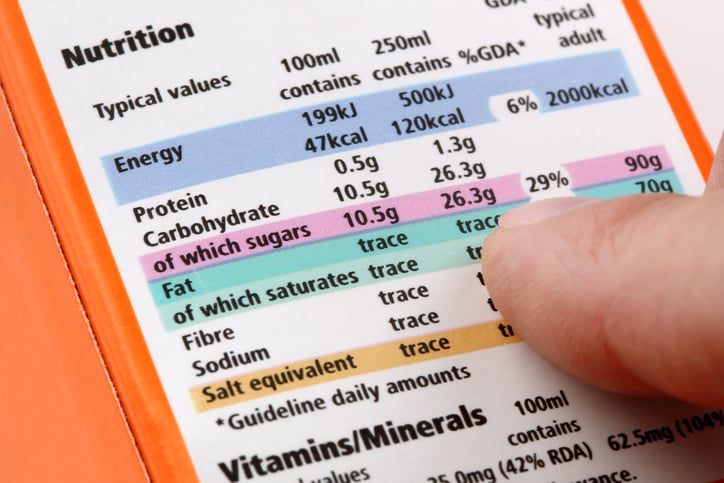
Nutritional AI Integration – Ingredient Insights & Auto-Fill Nutritional Details
Highlights:
AI-Powered Nutritional Tools: Automate and customize nutritional information.
Ingredient Analysis: AI-driven system for detailed data insights.
Manual & Auto-Fill Options: Control over nutritional data, with auto-fill from a basic database.
Streamlined Declarations: Simplifies adding detailed nutritional info to digital menus.
QubMenu v0.2
05.05.2024
Advanced Menu Customization – Templates, Themes, and Previews
Highlights:
Template Selection & Theme Customization: Enhance visual appeal and match brand identity.
Live Menu Preview: Real-time updates for easy adjustments.
Improved Presentation: Create a captivating dining experience.
QubMenu v0.0.1
10.03.2024
Core System Setup & Architecture Launch
Highlights:
Core Architecture for dynamic digital menus.
Customizable Menus with nutritional displays.
Scalable Base for future enhancements.